



Introduction to Procreate

25 discount codes
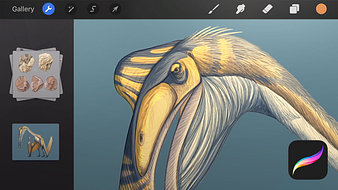
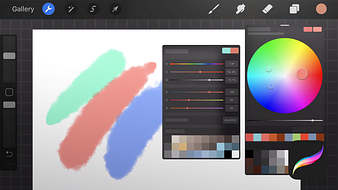
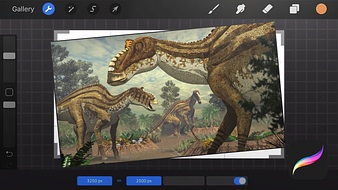
<div class="text-box text-box--alert">This course was updated in June 2020 with new material on Procreate 5’s updated interface and features such as color, cloning, and animation tools and brushes</div> Throughout the history of digital illustration there have been a succession of leading programs, from FreeHand to Adobe Illustrator, through CorelDRAW and many more. Today, Procreate has taken their place as the top illustration app for iPad. In this seven-course Domestika Basics, master Procreate from scratch with Román García, illustrator and biologist who has collaborated with renowned magazines such as National Geographic and the Real Jardín Botánico of Madrid. The first course is all about laying the groundwork, analyzing the synergy between Procreate, the iPad Pro, and the Apple Pencil, and why this is the perfect combination for tackling illustration projects. Start by installing the application and beginning to explore its interface. In the second course, draw your first lines in Procreate before taking a tour of the program's different brushes and basic drawing tools for creating your own digital sketches. In the third course, get familiar with the Actions menu, which allows you to add images and text, edit the canvas, share images, record your drawing process, and much more. Focus on the Adjustments menu in the fourth course and explore filters and features such as Blur, Noise, Liquify, Recolor, as well as basic image editing functions. In the fifth course, discover the importance of layers in the Procreate workflow. See how they are organized, how to create new layers and merge them, and how to organize them into groups. Then, learn about blending modes, masks, and reference layers. Next, delve into the selection and transformation options and explore how to transform, deform, and select parts of your illustrations. The seventh and final course of this Procreate Basics is dedicated exclusively to Brushes. Learn how to work with each type and adjust their settings to create different kinds as well as organize them into groups depending on their style. <h4>Technical requirements</h4> <ul>⦁ An iPad that’s compatible with the Apple Pencil. For more information on compatible models follow this <a rel="nofollow noreferrer" href="https://support.apple.com/en-us/HT205236" target="_blank">link</a>. ⦁ An Apple Pencil is recommended in order to get the most out of Procreate.</ul>
Save on Introduction to Procreate with a Domestika discount code
Checkmate is a savings app with over one million users that have saved $$$ on brands like Domestika.
The Checkmate extension automatically applies Domestika discount codes, Domestika coupons and more to give you discounts on products like Introduction to Procreate.
Top Domestika discount codes
1 person has used this discount
Last used about 2 years ago
CUP################
Working Domestika discount
Last used over 2 years ago
GS###
All Courses at 9,99 TEXTLINK EN
Last used 2 months ago
APP#######
See all codes

